xDQ vs Great Expectations
xDQ is built on GX Core, the open-source data validation framework. GX Core gives engineers a Python library; xDQ turns it into a no-code platform with scheduling, alerts, dashboards and agentic AI, so the whole team can use it.
At a glance
xDQ next to Great Expectations (GX Core), in three points.
Same engine, no code
xDQ runs GX Core under the hood, so you get its validation engine without writing or maintaining Python.
The platform around it, built in
Scheduling, alerts, history, dashboards, roles and an audit log come ready, instead of being built and run by your team.
AI and agents included
AI suggests rules from your data profile, and Xonic, Copilot or Claude can set up checks once your team approves.
How xDQ compares
What you get with xDQ, next to the Great Expectations (GX Core) approach.
Rules without code
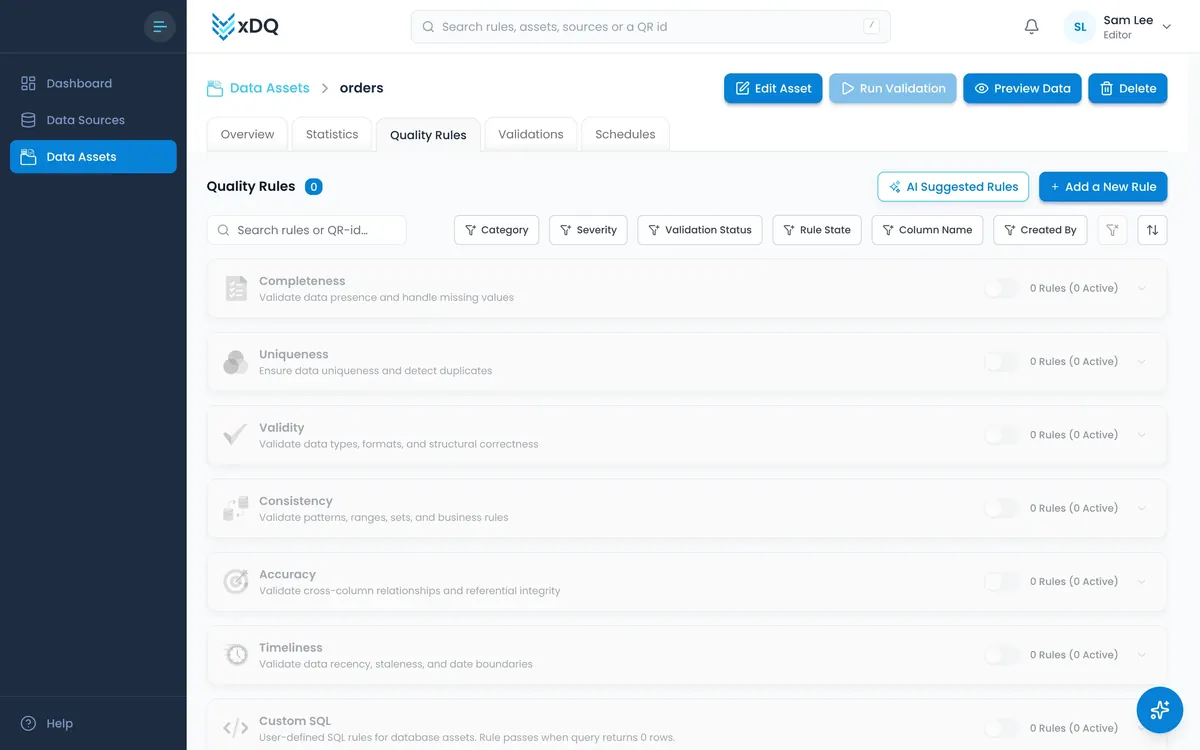
Pick from 55 no-code rule types across every data quality dimension, scope any rule to a subset of rows, or write custom SQL when you need it.
Agentic AI
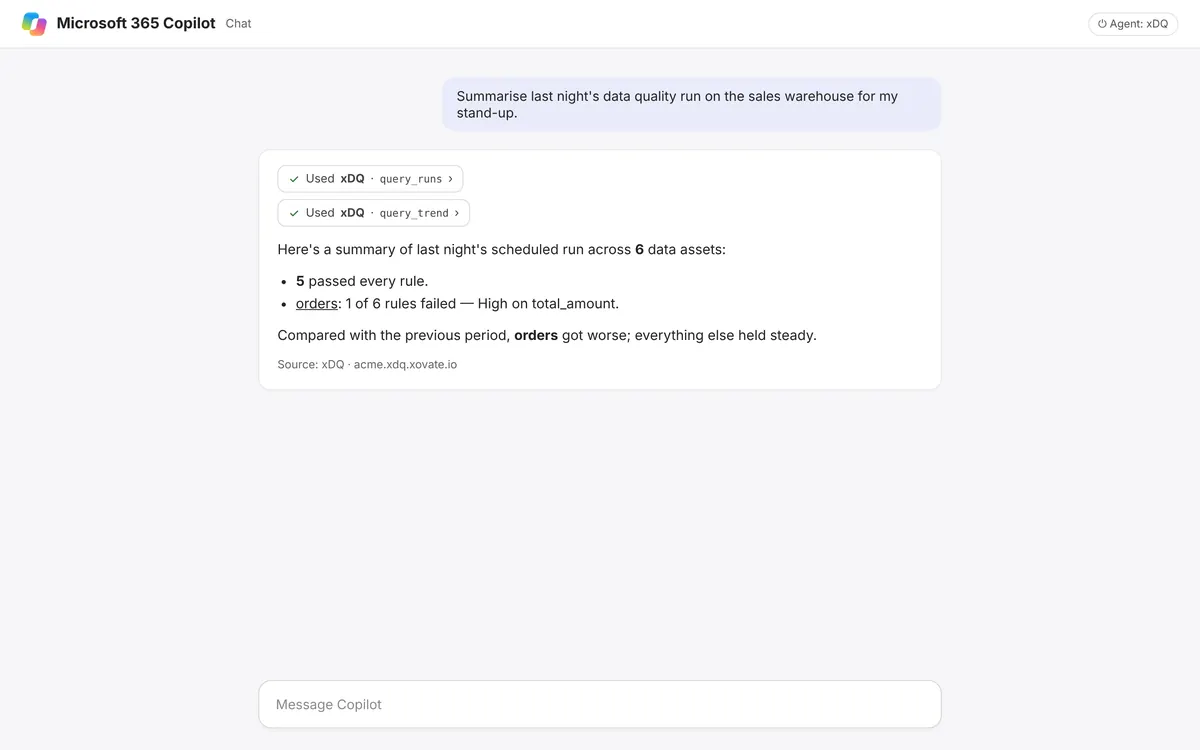
Ask Xonic, Microsoft 365 Copilot or Claude about your data quality, or hand over a goal: xDQ profiles the tables, suggests rules, saves and runs them, with an approval step for every change.
Automated runs and alerts
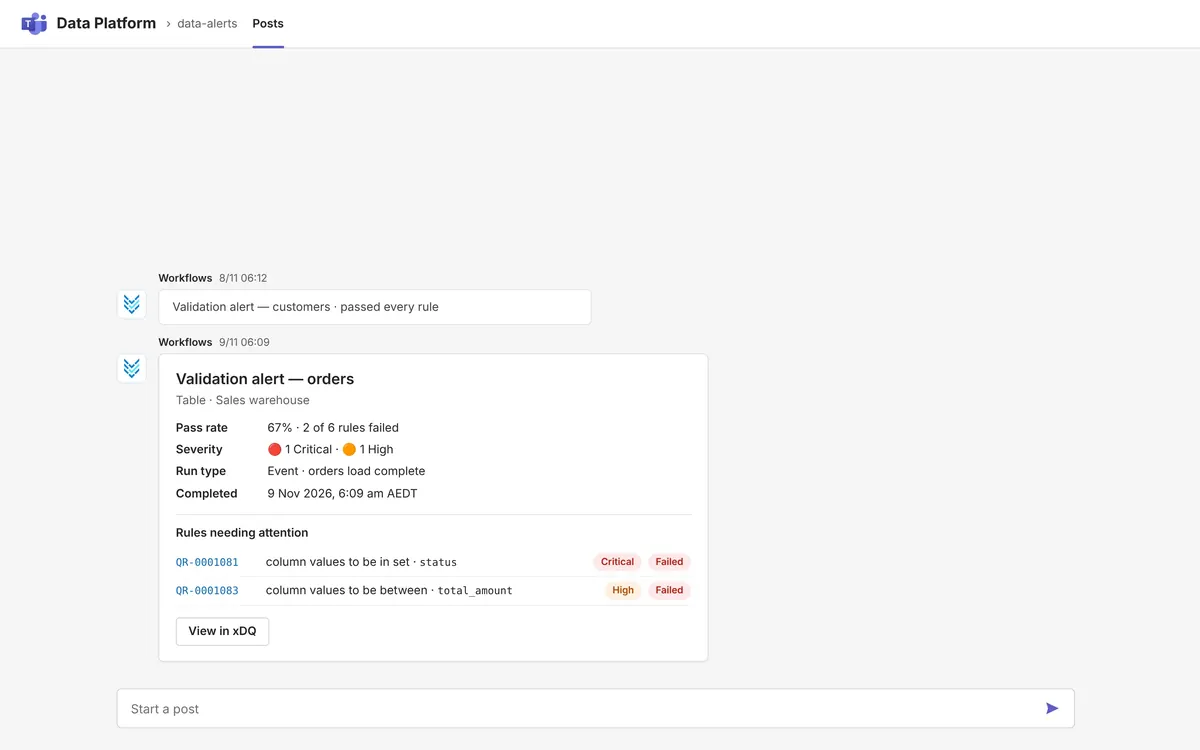
Run checks on demand, on a schedule or when a pipeline lands new data, and get alerts in email, Slack or Microsoft Teams.
Discovery and profiling
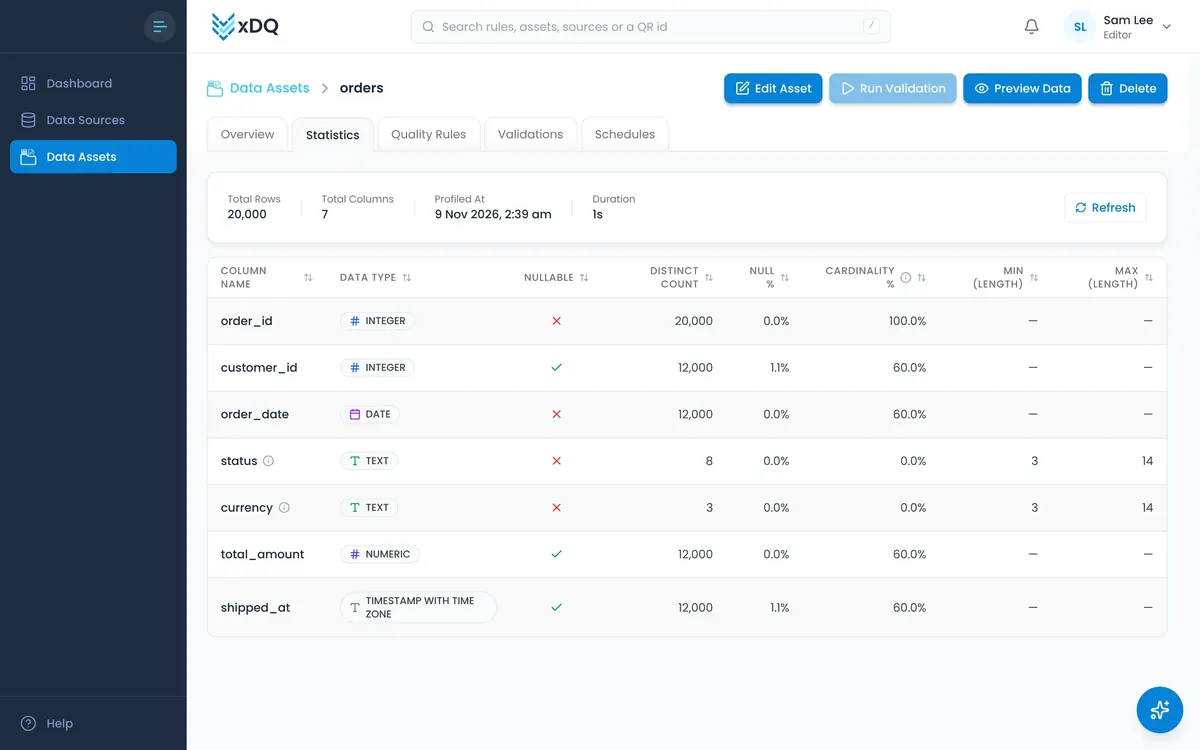
Connect a source and xDQ discovers its tables, views and files, profiles them and shows the statistics before you write a single rule.
Data quality health in one view
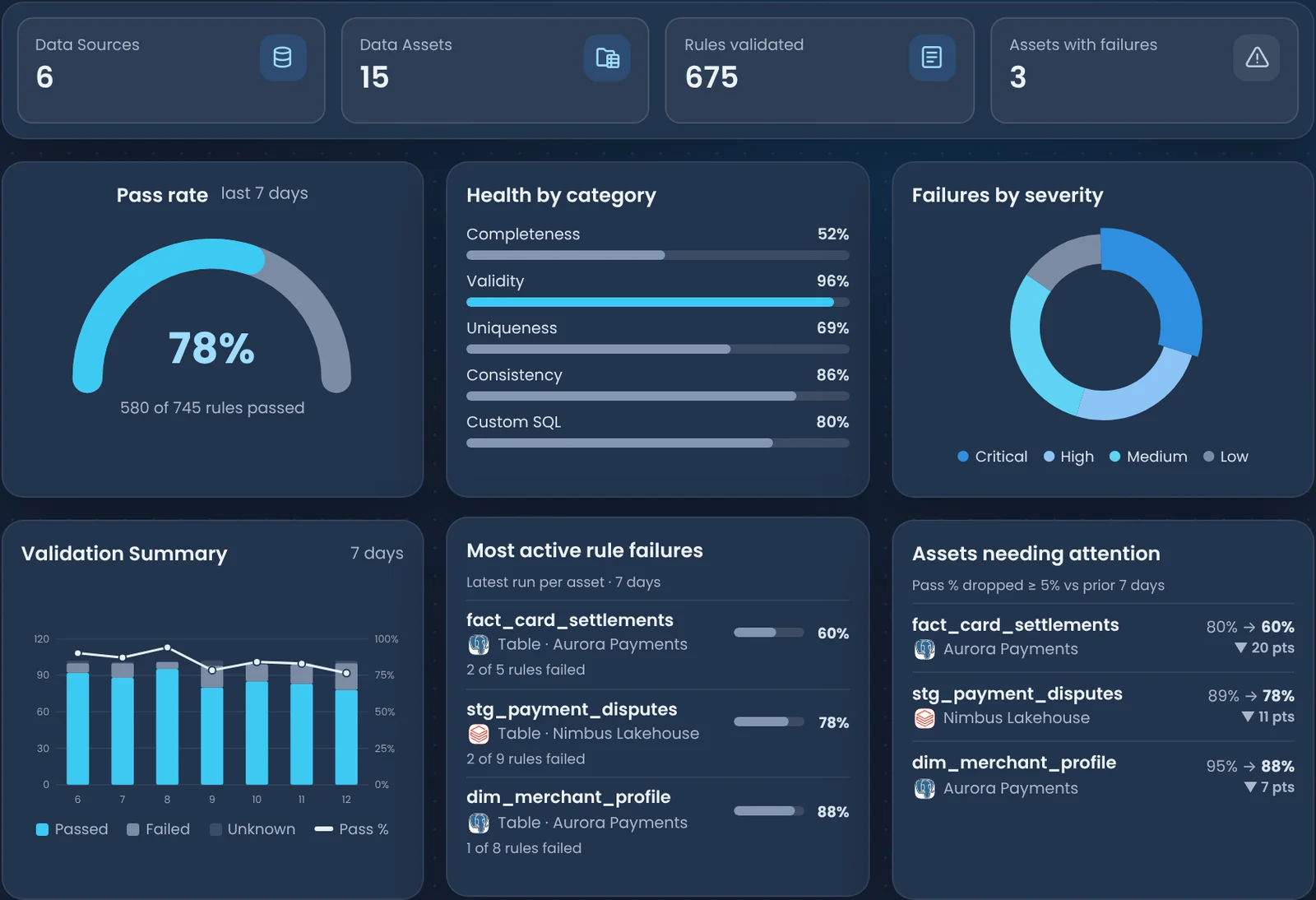
Track pass rates, health by category, failures by severity and the assets that need attention, across every source, from one dashboard.
Secure, wherever it runs
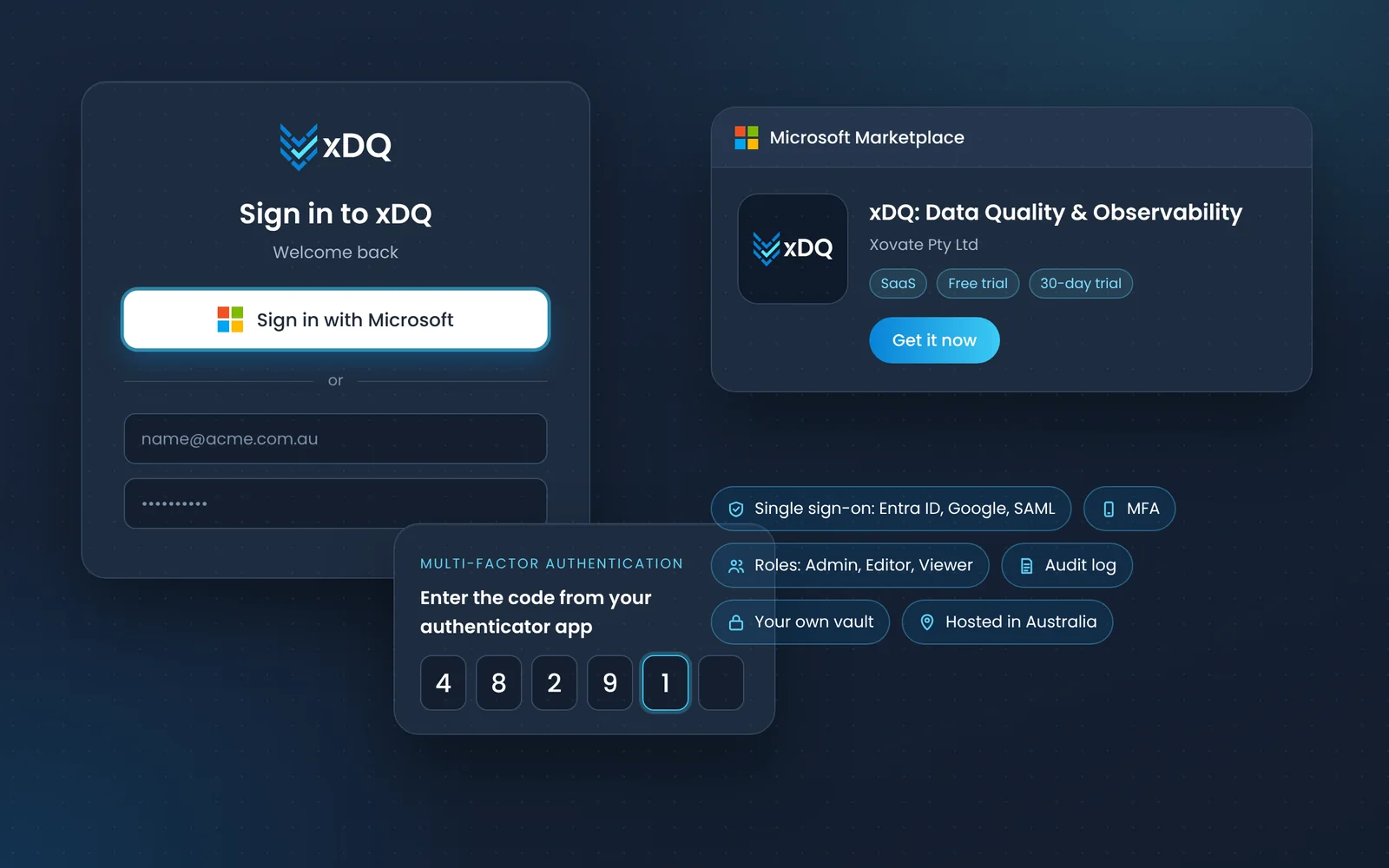
Sign in with Microsoft Entra ID, Google Workspace, OpenID Connect or SAML 2.0, add MFA, give each person a role and keep an audit log. Run it on xDQ Cloud, hosted in Australia and listed on Microsoft Marketplace, or in your own cloud with xDQ Private.
What to look for in a data quality platform
The questions that matter most when you choose, and how xDQ answers them.
Do checks run inside your own database?
Yes. Checks are pushed down to your database, so your tables are never copied out. xDQ keeps only results and statistics, never your actual data values.
Can business users create rules without code?
Yes. Pick from 55 no-code rule types across every data quality dimension, scope a rule to a subset of rows, or add custom SQL when needed.
Can AI suggest rules, with your team in control?
Yes. AI suggests rules from your data profile, and your team reviews each one, then edits, accepts or discards it before anything runs.
Can AI agents act, with a person approving?
Yes. Xonic, Copilot and Claude can set up checks and schedules. Every change waits for approval, approvals expire in 10 minutes, and AI never deletes.
Does it work in the AI tools you already use?
Yes. xDQ’s MCP server connects Microsoft 365 Copilot, Claude and OpenAI, with each person signed in under their own role and access.
Is it ready for your security review?
Single sign-on with Microsoft Entra ID, Google Workspace, OpenID Connect or SAML 2.0, MFA, three roles, an audit log kept for a year, and credentials encrypted or kept in your own vault.
Can it run in your own cloud?
Yes. xDQ Private runs in your own network on Docker or Azure Container Apps, with your own keys, and Xovate has no access to it.
How soon are your first checks running?
Connect a source, accept suggested rules and get alerts in Teams, Slack or email in about two hours, with a 30-day free trial to start.
Frequently asked questions
Is xDQ built on Great Expectations?
Yes. xDQ uses GX Core, the open-source Great Expectations framework, as its validation engine, and adds the no-code interface, scheduling, alerts, dashboards, security and AI around it.
Do I need to know Python to use xDQ?
No. Rules are no-code; custom SQL is there for engineers who want it.
Is xDQ the same as GX Cloud?
No. GX Cloud is a product of Great Expectations, Inc. xDQ is made by Xovate, an Australian company, and is not affiliated with Great Expectations, Inc.
Where does my data go?
Checks run inside your database. xDQ stores only the results and summary statistics, never your actual data values.
See xDQ on your own data
30 days free. No code to write, nothing to install on xDQ Cloud.